Every time you type a web address and press enter, something happens in the background that most people never think about. No loading screen, no visible handshake - just an instant connection to the right server, somewhere in the world, in under a second.
That invisible process has a name: the Domain Name System, or DNS. And understanding it is not a curiosity for network engineers, but something anyone who cares about their privacy online should know.
In simple words, computers don't understand words. They communicate through numbers, specifically, IP addresses like 142.250.74.46. Every website, every server, every device connected to the internet has one. But nobody memorizes strings of numbers. We type "google.com" and expect the internet to figure out the rest. DNS is what makes that possible. It's a globally distributed system that translates human-readable domain names into the numerical IP addresses that machines actually use. Think of it as the internet's phone book: you look up a name, it gives you the number, and the call goes through.
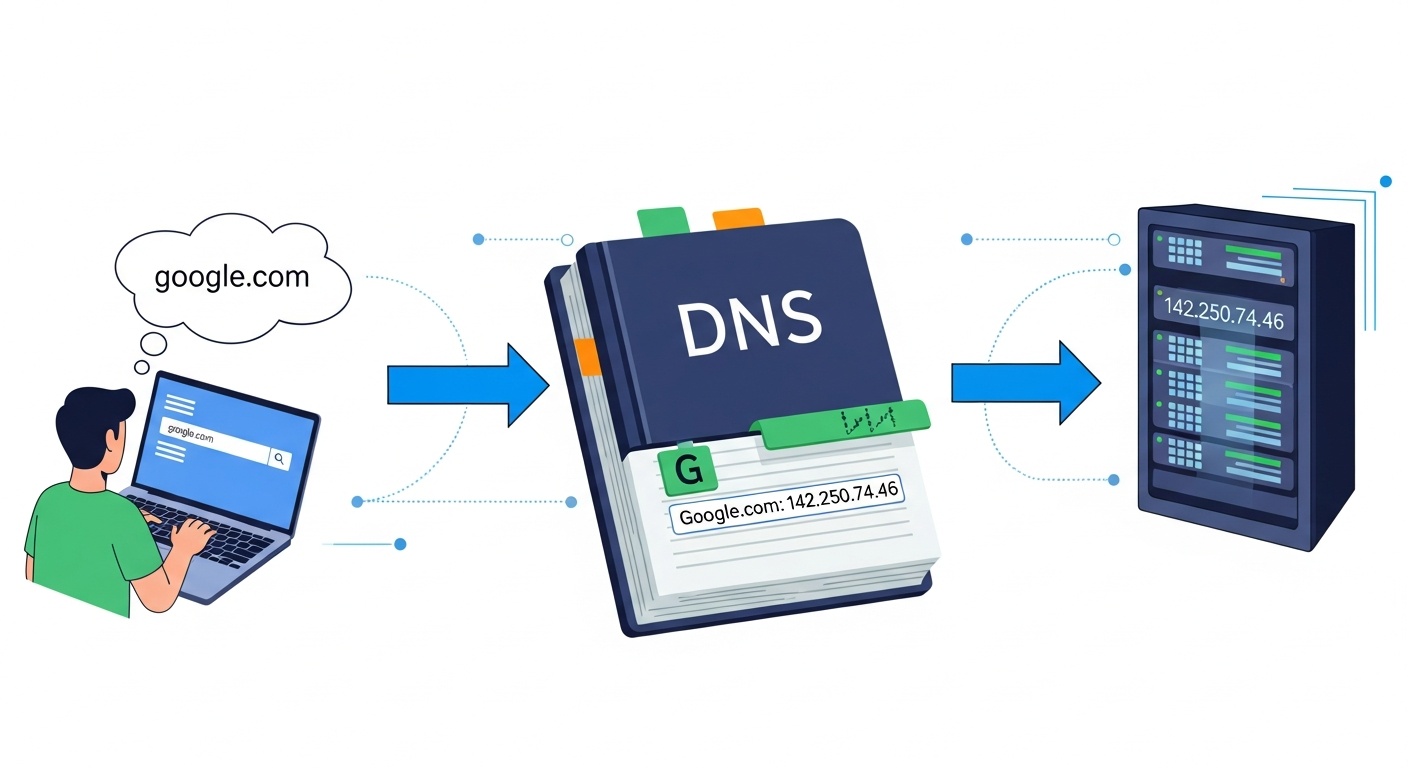
Without DNS, you'd need to remember the exact IP address of every website you wanted to visit. With it, you just need a name.
The process sounds complex, but it runs in milliseconds invisibly. Here's what's happening every time you open a browser and navigate somewhere:
All of this happens in the background, typically in under 100 milliseconds. By the time you notice the page beginning to load, the entire lookup has already finished.
The DNS system relies on four distinct server types, each with a specific role:
Recursive DNS Resolvers are the starting point for most DNS queries. They receive your request and handle the work of contacting other servers to find the answer. Your ISP typically provides one by default, though you can change this.
Root Name Servers sit at the top of the hierarchy. They direct resolvers toward the right TLD server based on the domain extension in the address you typed.
TLD Name Servers handle specific domain extensions - .com, .org, .io, .net, and so on. They maintain records of which authoritative servers are responsible for the domains within their extension.
Authoritative Name Servers are the final stop. They hold the actual DNS records for a specific domain and return the IP address the resolver needs. They don't need to check anywhere else, the answer lives there.
Here's something most people don't realize: your DNS queries are a detailed log of your online activity.
Every domain you visit - every website, app, or service generates a DNS lookup. By default, those lookups travel unencrypted over the network. That means your ISP can see them. So can anyone monitoring the network you're on: the Wi-Fi at a café, a hotel, an airport, a coworking space.
This isn't theoretical. ISPs in many countries are legally permitted to log and sell browsing data. Advertisers build profiles from DNS-level data. And on shared networks, passive traffic monitoring can expose which sites you're visiting without ever touching the content itself.
There are two things you can do about this. First, switch to an encrypted DNS provider - DNS over HTTPS (DoH) or DNS over TLS (DoT) encrypts your queries so they can't be read in transit. Second, use a VPN, which wraps your entire connection, including DNS traffic, in an encrypted tunnel, routing it through a server you trust rather than your ISP's infrastructure.
.png)
DNS is the foundation of how we navigate the internet. It's invisible, it's instant, and most people never give it a second thought, which is exactly why it's worth paying attention to. Your DNS traffic is a map of everywhere you go online, leaving it unprotected is like handing that map to anyone on the same network as you. Encrypted DNS and a reliable VPN are the two practical tools that change that.
The VPN Toolkit App brings together everything you need to secure your connection in one place, including trusted VPNs. Try it today and stay protected.



.svg)
